Let one color hold the attention.
Selective Color preserves a chosen hue range while desaturating other colors. The selection follows color throughout the photograph, so separate objects with similar hues are kept together.
Free to use. No account needed. Photos are processed in your browser. Guest exports include a Horizons signature; sign in to remove it.
Selective Color preserves a chosen hue range while desaturating other colors. The selection follows color throughout the photograph, so separate objects with similar hues are kept together.
Before and after
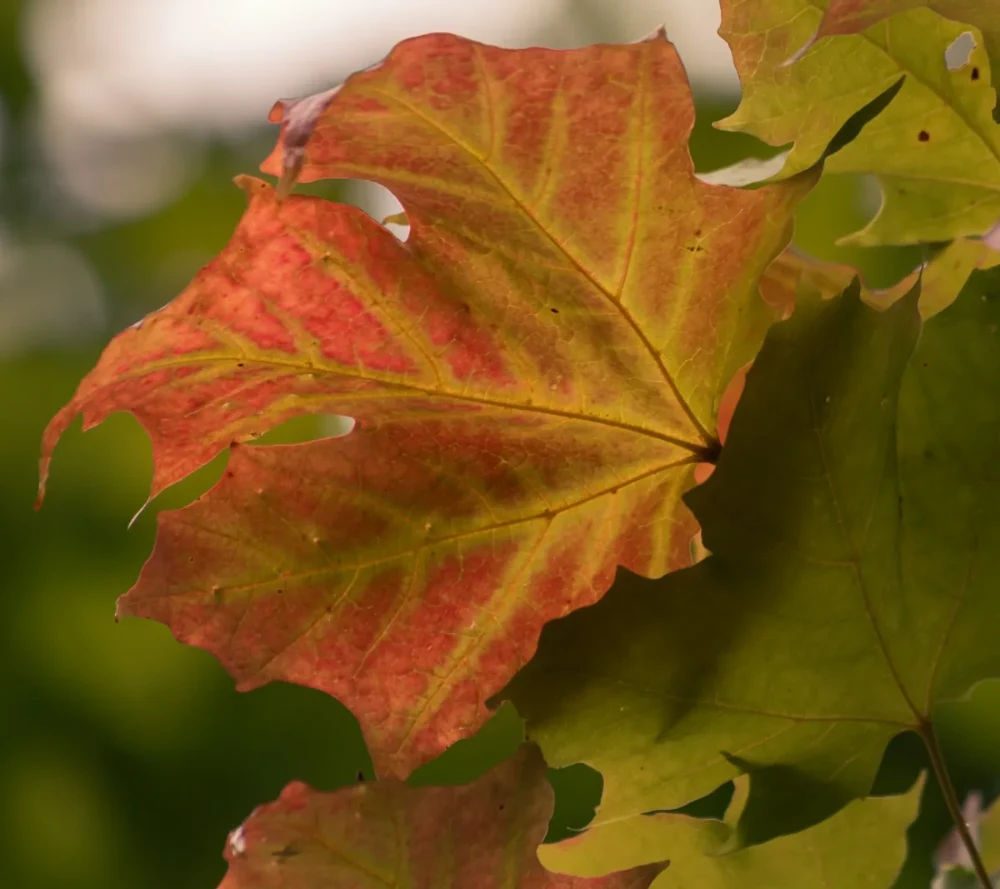
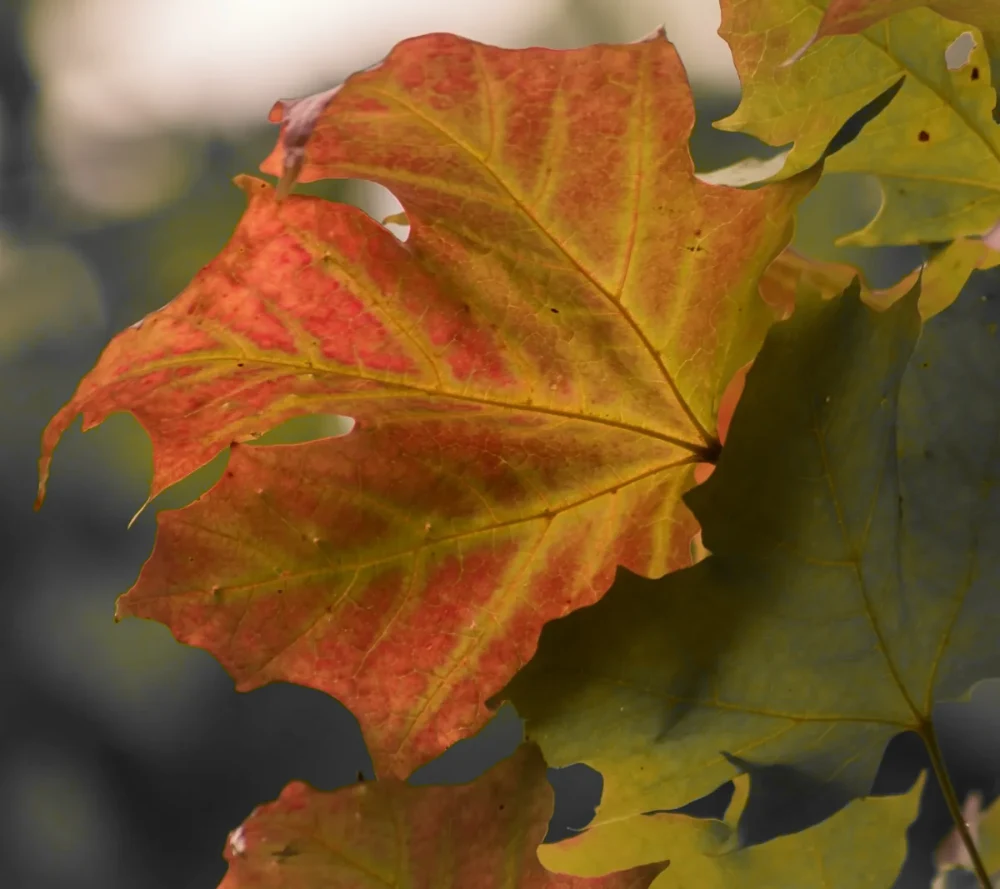
Settings used: Keep orange #e87532; hue tolerance 25°, hue transition 20°, desaturation strength 100%.
Examples use resized images. Fine detail can vary with your source resolution.
All tool guides · Open Selective Color
Make this edit
- Choose a photo with a colorful subject against a differently colored background.
- Choose Color to keep, or use Pick a color from photo and click the original preview. The color picker also supports keyboard input.
- Adjust Hue tolerance and Hue transition, then Desaturation strength. Compare and download.
Available options, explained
- Color to keep
- Choose a target color with the color picker, or activate photo sampling and click a visible part of the original.
- Hue tolerance
- 0–180° controls the hue range retained at full color, including wraparound at red.
- Hue transition
- 0–90° adds a gradual transition beyond the retained hue range. This softens color transitions, rather than blurring the image.
- Desaturation strength
- 0–100% controls how strongly non-selected colors become monochrome.
Get a better result
Start with a narrow tolerance and broaden it until the subject’s color variations are included. The hue transition softens the change to monochrome.
Troubleshooting
Similar hues elsewhere in the photo also stay colored. This tool selects a color range, rather than a particular object. Neutral gray colors have no hue; choose a saturated sample for a stronger result.
File formats and download help
The First Autumn Colour keeps orange #e87532 with 25° hue tolerance and a 20° hue transition, at 100% desaturation strength.
Three ways to use this tool
A vivid flower
Keep the petal hue while desaturating differently colored leaves.
A colorful detail
Sample a saturated detail and begin with a narrow tolerance.
A gentle color splash
Reduce desaturation strength to retain some background color.
Before you use Selective Color
Does this select a single object?
No. It keeps matching hues everywhere in the photo.
Can I pick the color directly from my photo?
Yes. Activate Pick a color from photo, then click the original preview. You can also enter a color using the keyboard-accessible color picker.
Why did another area keep its color?
It falls within the selected hue range. Reduce tolerance or choose a photo with stronger color separation.
Which files can I use, and what can I download?
Choose a JPG, PNG, or WebP up to 30 MB and 40 megapixels. Download the finished image as JPG or PNG. Your photo is processed in your browser.