Tell the story in two colors.
Duotone maps the dark and light tones of a photograph to two chosen colors. Intermediate tones blend between them, keeping photographic detail while replacing the original color palette.
Free to use. No account needed. Photos are processed in your browser. Guest exports include a Horizons signature; sign in to remove it.
Duotone maps the dark and light tones of a photograph to two chosen colors. Intermediate tones blend between them, keeping photographic detail while replacing the original color palette.
Before and after
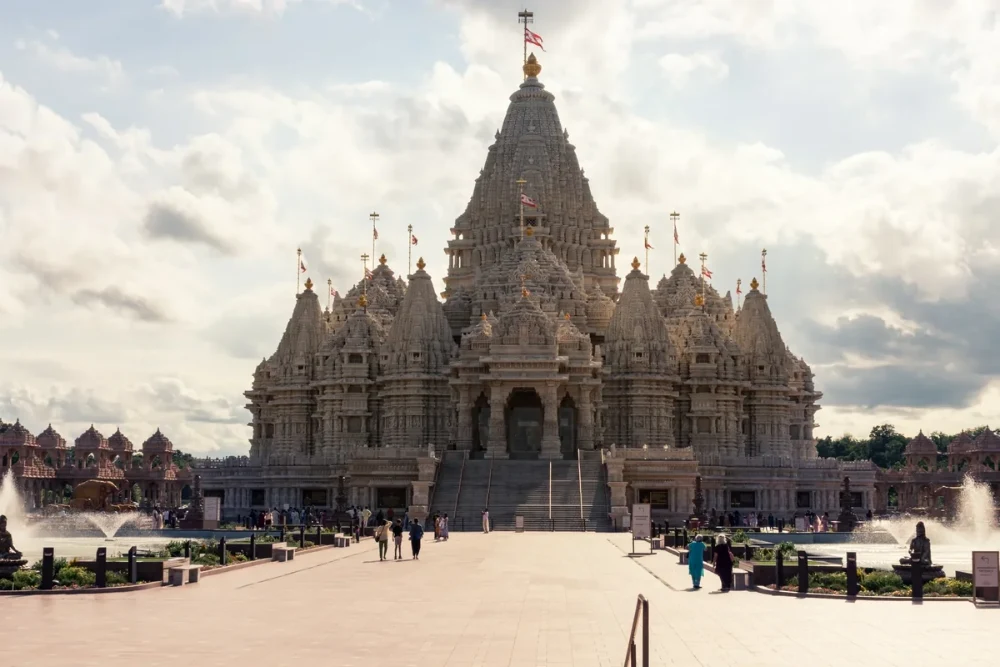
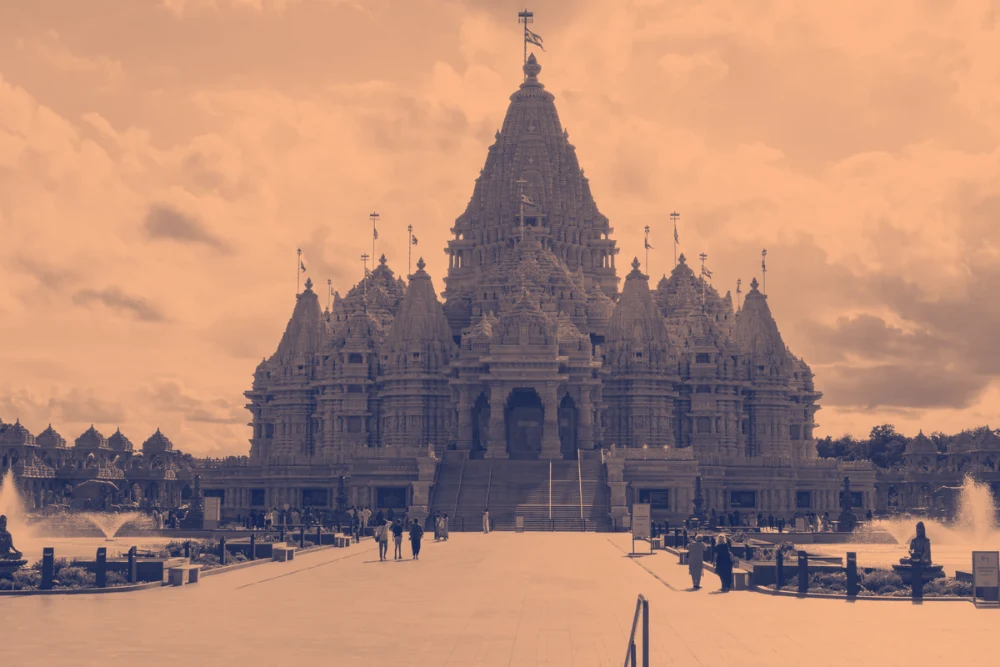
Settings used: Navy & peach: shadows #15244c, highlights #ffb98a; strength 100%.
Examples use resized images. Fine detail can vary with your source resolution.
All tool guides · Open Duotone
Make this edit
- Choose a photo with a clear range of light and dark tones.
- Choose a color pair, or set Shadow color and Highlight color yourself. Swap colors to reverse the treatment.
- Adjust Effect strength, compare with the original, and download your image.
Available options, explained
- Color pair
- Choose Navy & peach, Plum & cream, Forest & mint, or Ink & white. Custom colors are also supported.
- Shadow and highlight colors
- Map dark tones to the shadow color and light tones to the highlight color. Swap colors reverses the mapping.
- Effect strength
- 0–100% mixes the gradient map with the original photo.
Get a better result
Use a dark shadow color and a light highlight color to keep the subject readable. Lower strength to mix in the original colors.
Troubleshooting
If details look flat, increase the brightness difference between your two colors. Duotone replaces colors based on brightness, rather than selecting objects.
File formats and download help
A Courtyard of Carvings uses Navy & peach: shadows #15244c, highlights #ffb98a, at 100% effect strength.
Three ways to use this tool
A coordinated series
Reuse the same two colors across several photographs.
A graphic poster
Choose a strong light and dark pair to keep the subject readable.
A subtle color treatment
Lower strength to retain some original color.
Before you use Duotone
Does duotone keep the original colors?
At 100% strength, colors are replaced by the selected gradient. Lower strength mixes the treatment with original colors.
Can I choose my own colors?
Yes. Set both colors with the color pickers, or start with a preset.
Does this change the image dimensions?
No. Duotone exports at the source dimensions.
Which files can I use, and what can I download?
Choose a JPG, PNG, or WebP up to 30 MB and 40 megapixels. Download the finished image as JPG or PNG. Your photo is processed in your browser.