Image Filters Guide
Use Image Filters to establish a mood, then refine the photograph with brightness, contrast, and color controls. A preset is a starting point; the same look can affect a cloudy landscape and a bright portrait very differently.
Before and after
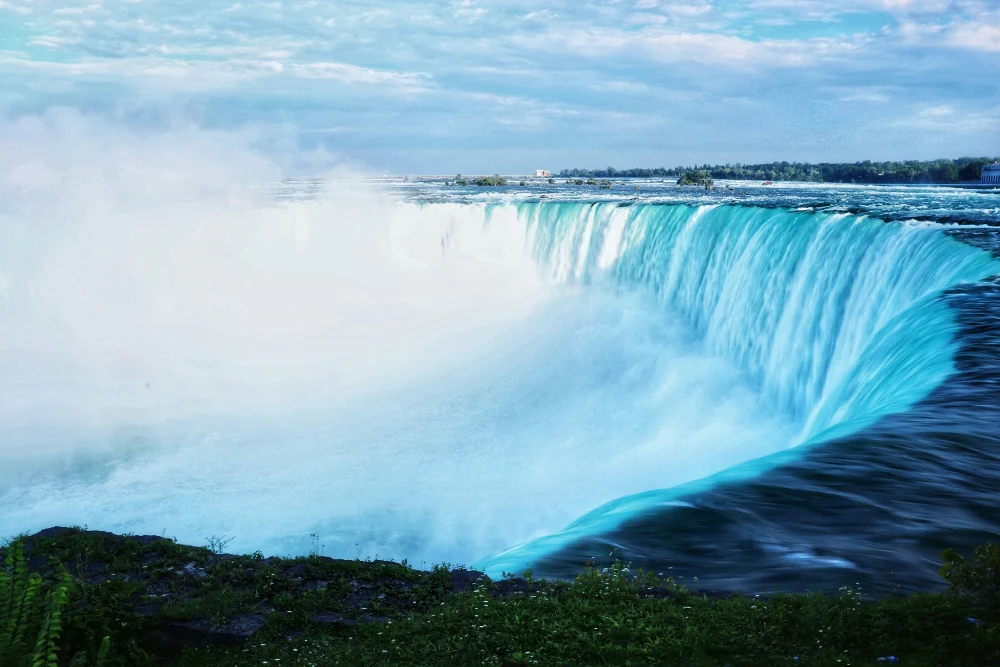
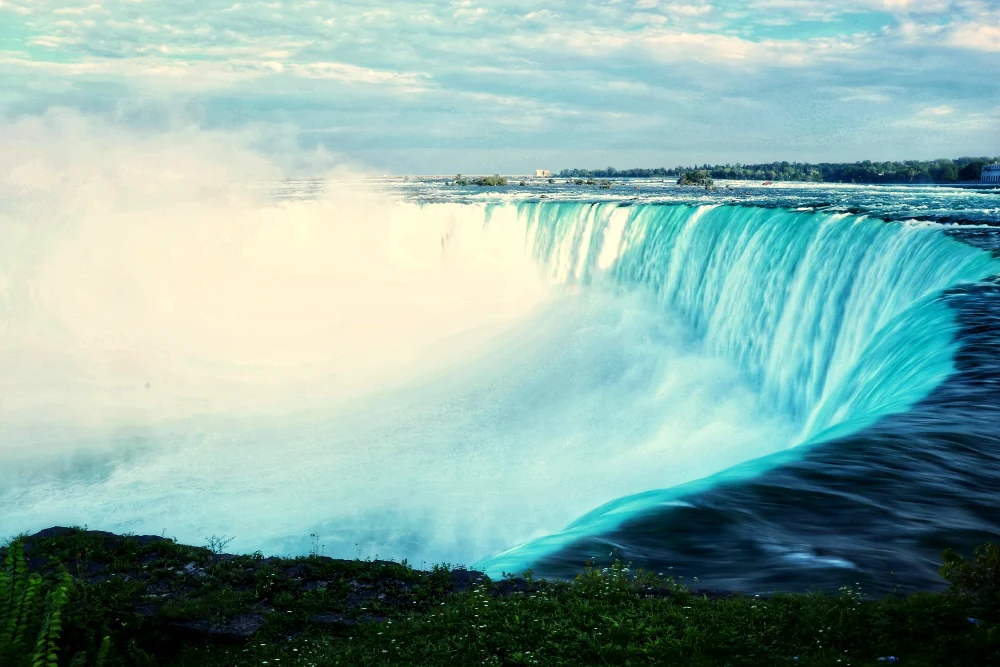
Settings used: Golden hour filter; strength 80%, brightness 100%, contrast 108%, saturation 100%.
Examples use resized images. Fine detail can vary with your source resolution.
All tool guides · Open Image Filters
Make this edit
- Select a photograph and try a filter that suits its light and subject.
- Adjust Filter strength before changing the other controls. Reduce it if skin, foliage, or the sky looks unnatural.
- Fine-tune brightness, contrast, and color one control at a time. Use Show original to judge the change, then download.
Available options, explained
- Filter presets
- Original, Black & white, Golden hour, Cool blue, Vintage, Vivid, Sepia, Rose, Forest, Arctic, Faded film, Noir, and Vignette. Use Original when you only want manual adjustments.
- Filter strength
- 0–100% controls the preset contribution. Lower it when a preset changes the mood more than you intended.
- Brightness
- 0–200%; 100% is neutral. Raise it for a brighter image while checking pale areas for lost detail.
- Contrast
- 0–200%; 100% is neutral. Higher settings separate light and dark tones; lower settings soften that separation.
- Saturation
- 0–200%; 100% is neutral. Lower it to quiet colors, or raise it carefully to strengthen them.
Get a better result
Check neutral areas such as white clothing or gray pavement. They help reveal a color cast that is easy to miss when looking only at colorful subjects.
Troubleshooting
Brightening an underexposed image does not restore missing detail and can make noise more visible. If a strong preset hides texture, lower its strength before adding more adjustments.