Make your photograph an ink-dot print.
Halftone turns the brightness of a photograph into a regular screen of ink dots. Darker areas use larger dots, while lighter areas reveal more paper, producing a newspaper or comic-print appearance.
Free to use. No account needed. Photos are processed in your browser. Guest exports include a Horizons signature; sign in to remove it.
Halftone turns the brightness of a photograph into a regular screen of ink dots. Darker areas use larger dots, while lighter areas reveal more paper, producing a newspaper or comic-print appearance.
Before and after
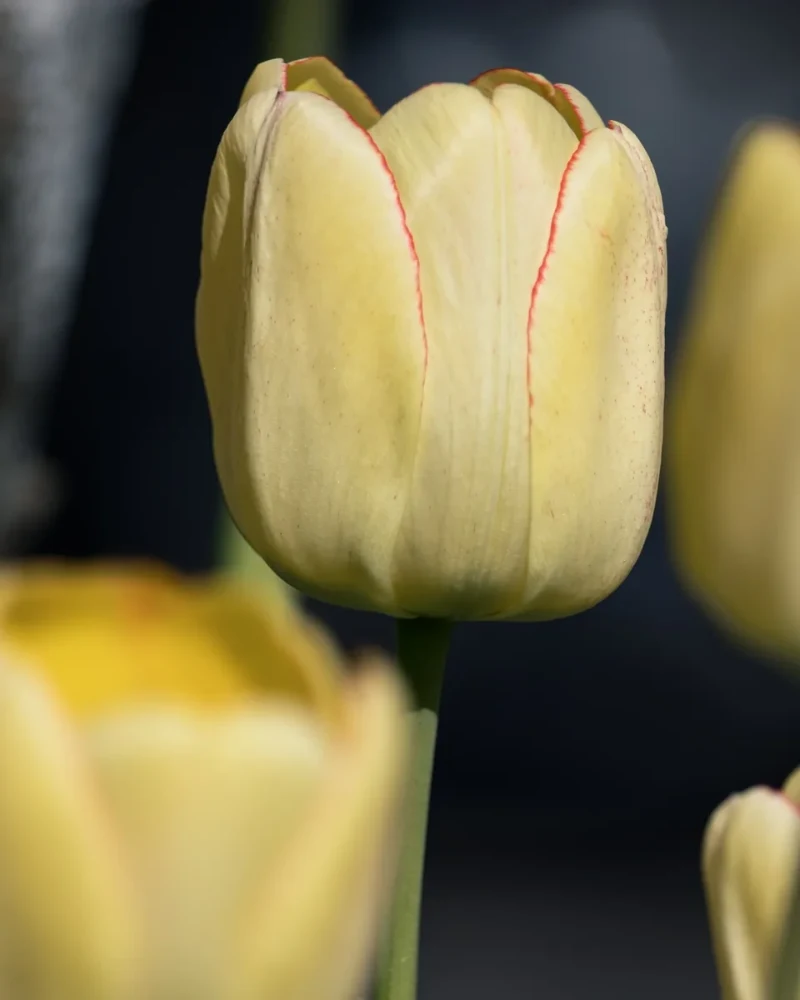
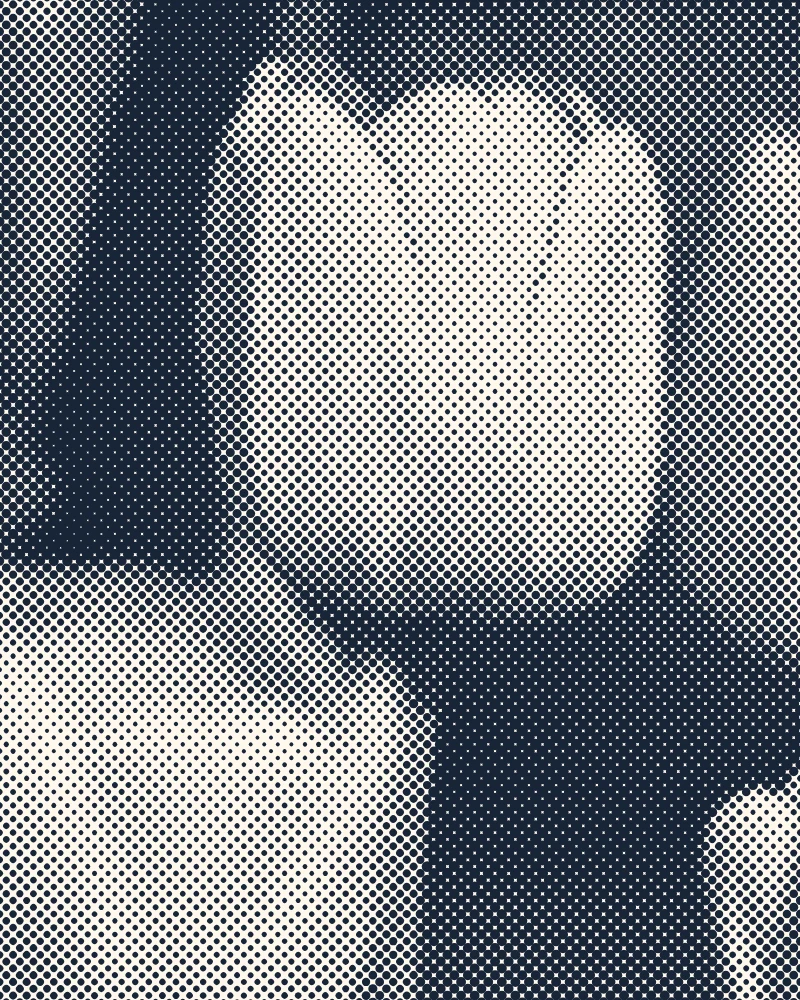
Settings used: Dot spacing 1.2%, screen angle 45°, contrast 100%; ink #182538, paper #fff8ed.
Examples use resized images. Fine detail can vary with your source resolution.
All tool guides · Open Halftone
Make this edit
- Choose a photo with a clear subject and simple background.
- Set Dot spacing and Screen angle. Adjust Contrast while watching the dark and light areas.
- Choose ink and paper colors, compare the original, and download.
Available options, explained
- Dot spacing
- 0.4–4% of the shorter image edge. Larger spacing produces a coarser print screen.
- Screen angle
- 0–90° rotates the regular dot grid.
- Contrast
- 25–200% changes the tonal separation before generating the dots.
- Ink and paper
- Choose the dot color and the background paper color. Transparent source areas retain their transparency in PNG.
Get a better result
Inspect the downloaded file at its intended viewing size. Fine dot screens can look different when an image is scaled by a browser or printer.
Troubleshooting
If small features disappear, reduce dot spacing or contrast. Halftone is a decorative effect and should not be used to hide sensitive information.
File formats and download help
Pale Gold Tulip uses 1.2% dot spacing, a 45° screen angle, 100% contrast, midnight ink #182538, and ivory paper #fff8ed.
Three ways to use this tool
A newspaper print
Start with midnight ink on ivory paper.
A bold comic texture
Increase dot spacing for larger visible dots.
A colored print
Choose ink and paper colors from your photograph.
Before you use Halftone
How is this different from Pixelate?
Halftone uses one ink color and varies dot size with brightness. Pixelate simplifies the photo into colored tiles.
Can I change the ink color?
Yes. Both the ink and paper colors are adjustable.
Will the dots match at export?
Dot spacing is relative to image size so the overall screen is consistent. Fine edges can appear different at different viewing sizes.
Which files can I use, and what can I download?
Choose a JPG, PNG, or WebP up to 30 MB and 40 megapixels. Download the finished image as JPG or PNG. Your photo is processed in your browser.